VPS Server in UAE: Solving Website Performance and Resource Issues
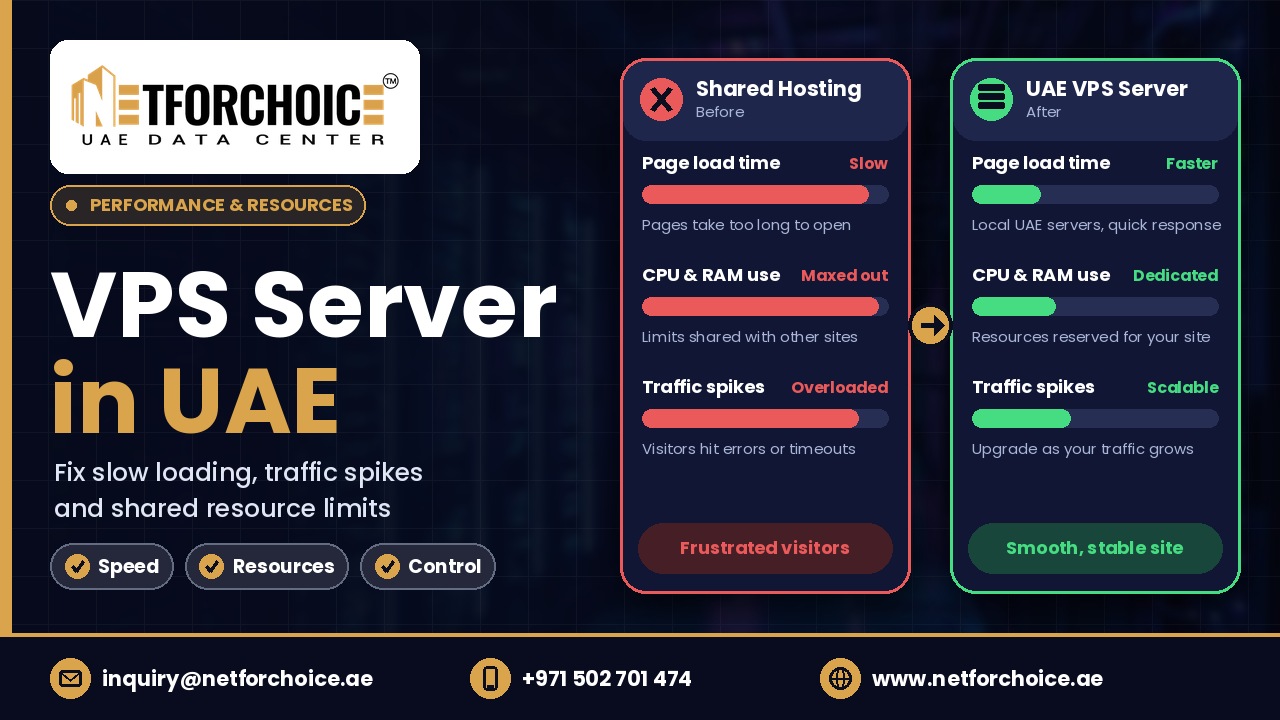
When a growing website starts responding slowly or showing server errors during busy periods, its hosting resources may no longer match its workload. A VPS server in UAE gives businesses a configurable environment with allocated virtual CPU, RAM and storage to handle website and application demands. It also provides greater control over server configuration than typical shared hosting plans. For businesses serving UAE customers, VPS hosting in the UAE can offer a more flexible hosting foundation. However, choosing the right configuration starts with identifying what is actually slowing the website down.
Why Does a Growing Website Become Slow?
Consider an online electronics store in Dubai.
The business initially has a small product catalogue and receives a manageable number of daily visitors. Its shared hosting plan handles product pages, customer accounts and checkout requests.
Later, the company launches a promotional campaign. More visitors start browsing products and adding items to their carts. At the same time, existing customers are checking order details.
The website begins responding slowly. Product pages take longer to load and checkout requests sometimes fail.
The problem may not be the internet connection or website design. The server could be reaching its CPU or memory limits. Database activity and storage performance can also affect response times.
This is why businesses should identify the resource bottleneck before upgrading their hosting.
Four Technical Reasons Behind Website Performance Problems
1. CPU Usage Reaches Its Limit
The CPU handles instructions generated by website applications, database operations and background processes.
For example, when a customer opens a product page, the application may need to retrieve product information, check inventory and execute database queries.
When many visitors perform these actions simultaneously, the server has more work to process.
If the available CPU resources become insufficient, requests may wait longer before being processed.
How VPS helps: A VPS provides allocated virtual CPU resources. Businesses can select a suitable configuration and monitor CPU usage to determine whether additional processing capacity is needed.
However, increasing CPU resources will not fix inefficient application code. Developers should also investigate processes that consume excessive CPU time.
2. RAM Becomes Insufficient
RAM stores the data that running applications need to access quickly.
A website running PHP processes, database services and caching systems needs memory for these operations.
During a traffic increase, more application processes may run simultaneously. If available memory becomes insufficient, Linux may reclaim memory, use swap space or invoke its Out-Of-Memory (OOM) killer under severe memory pressure.
The Linux kernel documentation describes these memory-pressure conditions and how they affect running applications.
How VPS helps: A VPS with an appropriate RAM allocation gives administrators more control over available memory. They can monitor usage and adjust the configuration according to the workload.
For example, a business running both its website and database on one VPS should account for the memory requirements of both services.
3. Storage I/O Slows Down Database Operations
Storage performance is another important part of website hosting.
An e-commerce website constantly reads and writes information. When customers place orders, the application may need to update inventory, save transaction records and retrieve customer information.
If storage operations become a bottleneck, database requests can take longer to complete.
SSD storage can help improve data access compared with traditional mechanical drives. However, performance also depends on IOPS limits, storage configuration and database workload.
How VPS helps: Businesses can select suitable storage capacity and an SSD-based hosting configuration. They should also monitor disk activity to identify whether storage performance is restricting the application.
4. Database Queries Take Too Long
Not every slow website needs more server resources.
Sometimes the actual problem is inefficient database queries.
For example, an online store may retrieve product information using queries that scan more records than necessary. During high traffic, these queries can consume additional CPU and memory resources.
MySQL provides a Slow Query Log that records SQL statements taking longer than a configured execution-time threshold. Its documented default value for long_query_time is 10 seconds.
Developers can use this log to identify queries that need attention.
How VPS helps: Root access allows administrators to configure database services and monitoring tools. However, developers must still optimize inefficient queries and database indexes.
How to Identify the Actual Server Bottleneck
Before purchasing a larger server, administrators should check the existing system.
Linux provides several useful monitoring commands.
Check CPU activity and running processes:
top
This helps identify processes consuming significant CPU resources.
Check available memory:
free -h
This displays memory usage and available memory in a readable format.
Check disk capacity:
df -h
This helps identify whether storage space is running low.
Monitor disk performance:
iostat -xz 1
This provides disk I/O statistics at one-second intervals when the required monitoring utility is installed.
For database performance, administrators can enable the MySQL Slow Query Log and review queries that exceed the configured threshold.
These checks help distinguish between CPU, memory, storage and database problems. The correct upgrade should address the actual cause rather than simply adding more resources.
What Should You Look for in a VPS Server in UAE?
Once the performance bottleneck is understood, selecting a suitable server becomes easier.
Consider these factors before choosing a hosting configuration.
CPU and RAM Allocation
Check the application's current resource usage and expected workload. Select enough virtual CPU and RAM to support normal operations and periods of increased activity.
SSD Storage
Review storage type, capacity and performance limits. Database-heavy applications may need better storage performance than simple content websites.
Operating System and Root Access
Choose an operating system compatible with your application. Root access is useful when administrators need to install software, configure services and manage server settings.
Network Reliability and Security
Check the provider's network uptime commitment, firewall options and DDoS protection. Regular software updates and backups should remain part of your security plan.
For businesses operating in the UAE, infrastructure location and network connectivity are also worth reviewing. A nearby server can reduce network distance for local visitors, although actual website speed depends on several other factors.
An Additional Check: Measure Real Website Performance
After upgrading the hosting environment, do not rely only on CPU and RAM statistics.
Google recommends three Core Web Vitals targets for a good user experience:
- LCP: 2.5 seconds or less.
- INP: Less than 200 milliseconds.
- CLS: 0.1 or less.
These metrics measure loading performance, responsiveness and visual stability respectively.
Use Google PageSpeed Insights and real-user data to check whether the website experience improves after server changes.
Remember that hosting is only one part of performance. Image sizes, JavaScript execution, caching and application code also matter.
Conclusion: Choose a VPS Based on Your Website's Actual Needs
A growing website can experience performance problems for several reasons. CPU limitations, insufficient memory, slow storage and inefficient database queries can all affect how quickly an application responds.
A VPS offers more control over computing resources and server configuration. This makes it a practical option for businesses that have outgrown the restrictions of their existing hosting environment.
NetForChoice offers VPS configurations in the UAE with customizable resources, Linux and Windows Server options, root access, SSD-based infrastructure and DDoS protection. Its service also includes a 99.95% network uptime guarantee backed by an SLA.
If your website is facing resource limitations, explore VPS server options in the UAE and choose a configuration based on actual workload measurements rather than assumptions.
Frequently Asked Questions
1. Does a VPS server improve website loading speed?
It can improve performance when the existing hosting environment is restricted by CPU, RAM or storage resources. However, slow application code and unoptimized database queries may still need separate fixes.
2. How much RAM does an e-commerce website need on a VPS?
There is no universal RAM requirement. It depends on the application, database, number of concurrent processes and caching setup. Monitor actual memory usage before choosing a configuration.
3. Is a VPS better than shared hosting for a growing website?
A VPS is often more suitable when a website needs configurable resources, root access or custom server settings. Shared hosting can remain sufficient for smaller websites with modest resource requirements.
Comments
Join the discussionNo comments yet. Be the first to comment.